MyNetAdmin Platform

Active Directory management
that actually fits how you work

A browser-based platform for managing AD and auditing NTFS permissions — running on your own infrastructure, licensed per site, not per seat.

● Beta — Active On-Premises Deployment IIS · Windows Server Unlimited Technicians No Per-Seat Fees
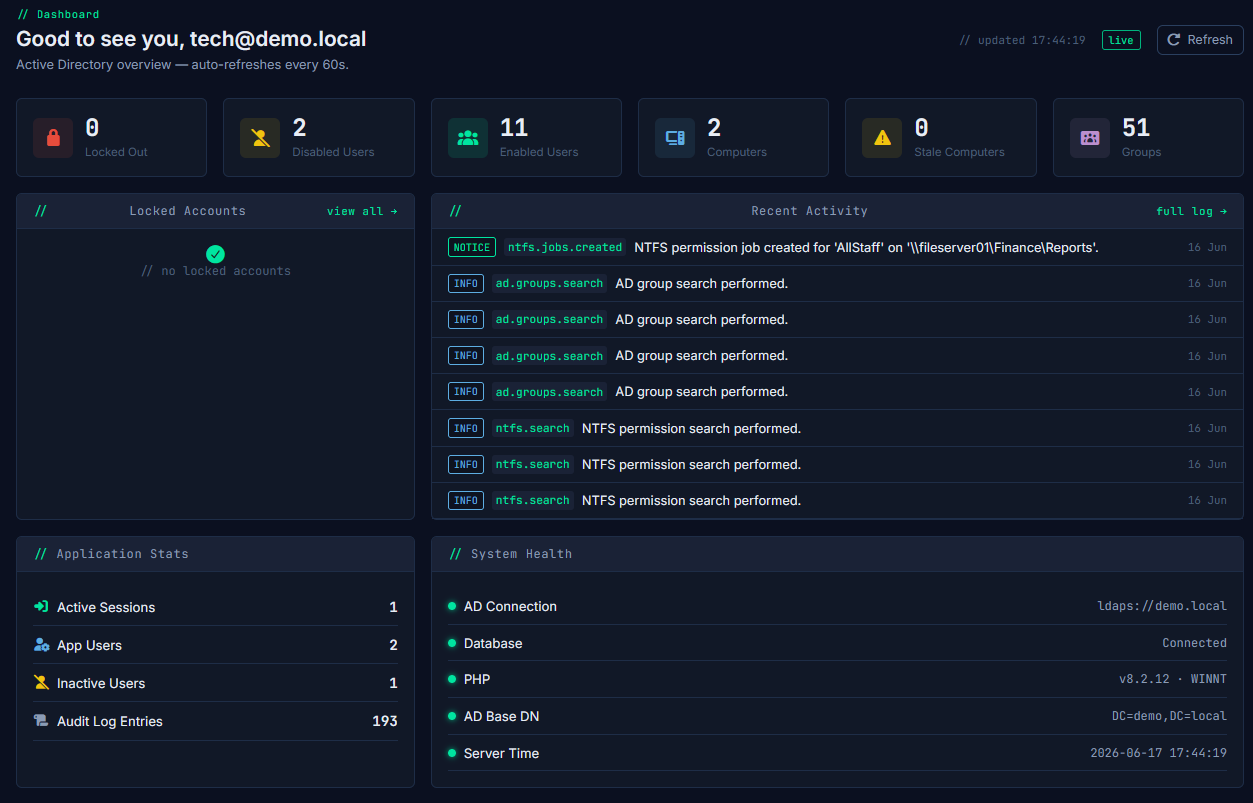
mynetadmin.yourdomain.local / dashboard

Deployed in environments including

[ YOUR LOGO ] [ CUSTOMER LOGO ] [ MSP PARTNER ] [ CUSTOMER LOGO ]

Stop opening MMC for routine tasks

WebAD gives your team a clean, permission-aware browser interface for the day-to-day AD work that currently means remote desktop, multiple consoles, and too many clicks.

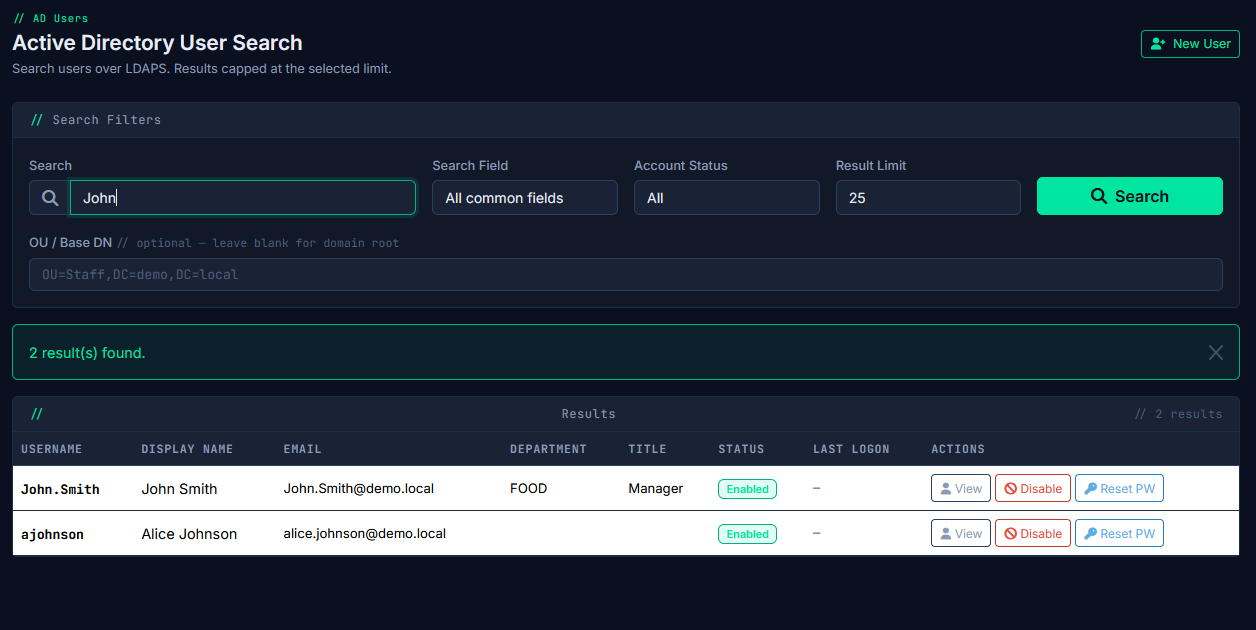
/ users / search
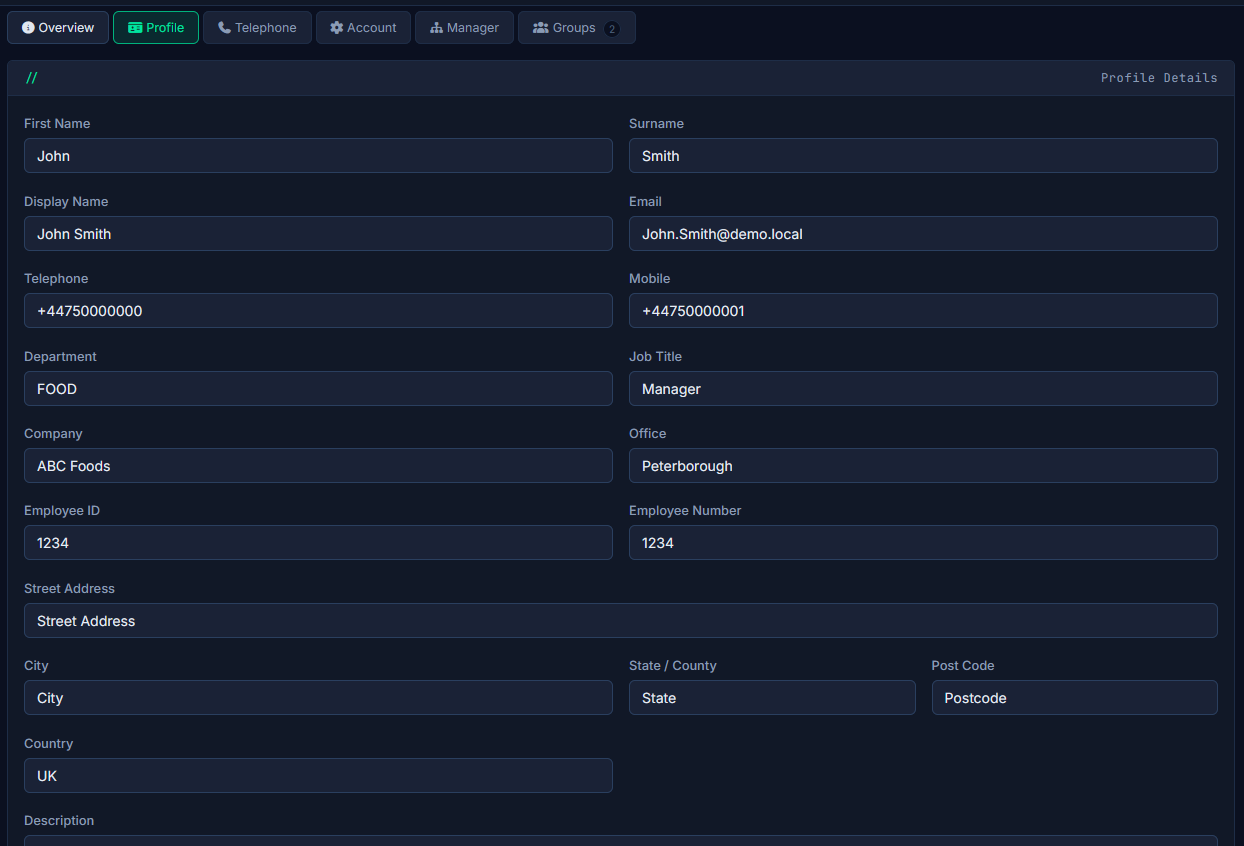
User Management

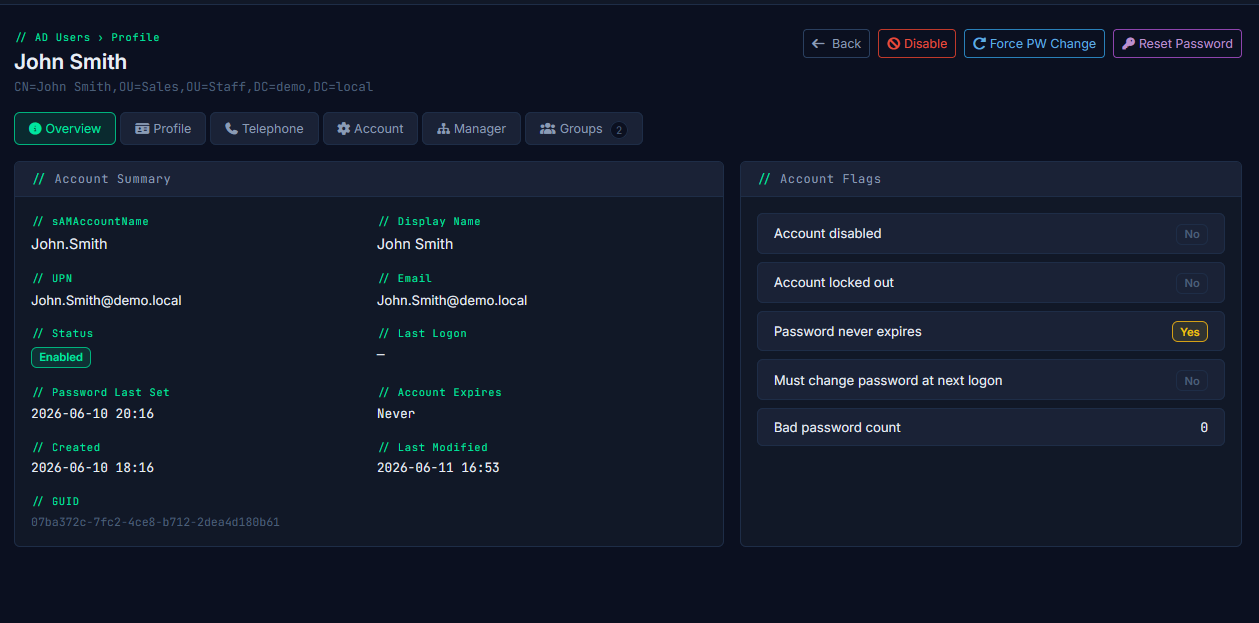
Create, modify, and reset — from any browser

All the routine account work that currently requires opening ADUC on a DC or jump host — done in a browser by the right technician, with a full audit trail behind every change.

  • Create, edit, disable, and delete user accounts
  • Reset passwords and unlock accounts in two clicks
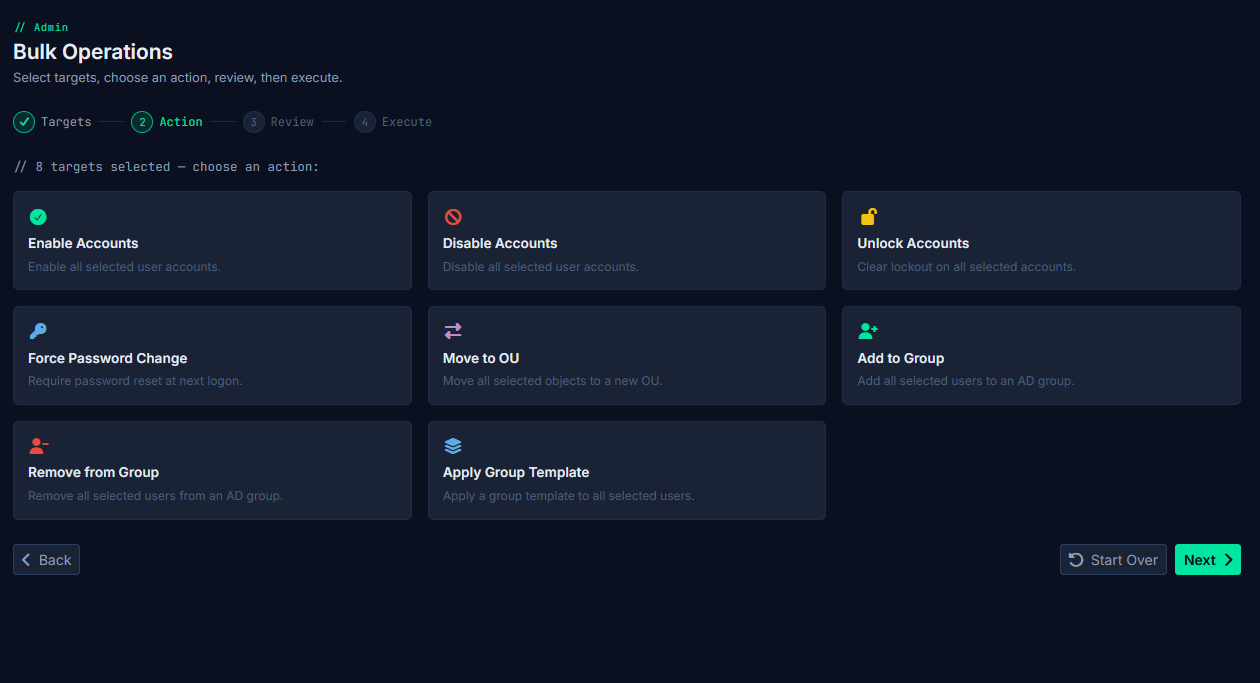
  • Bulk operations across multiple accounts
  • Account lifecycle controls: expiry dates, must-change-password flags
  • AD Recycle Bin support — restore deleted objects without PowerShell
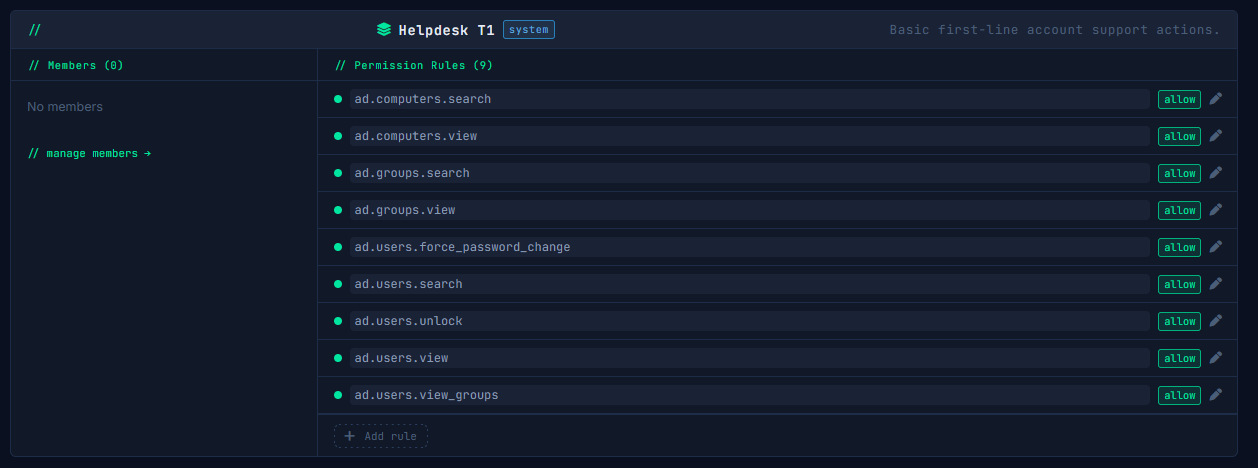
  • Role-based access so junior techs can only do what they're allowed
/ groups / IT-Admins
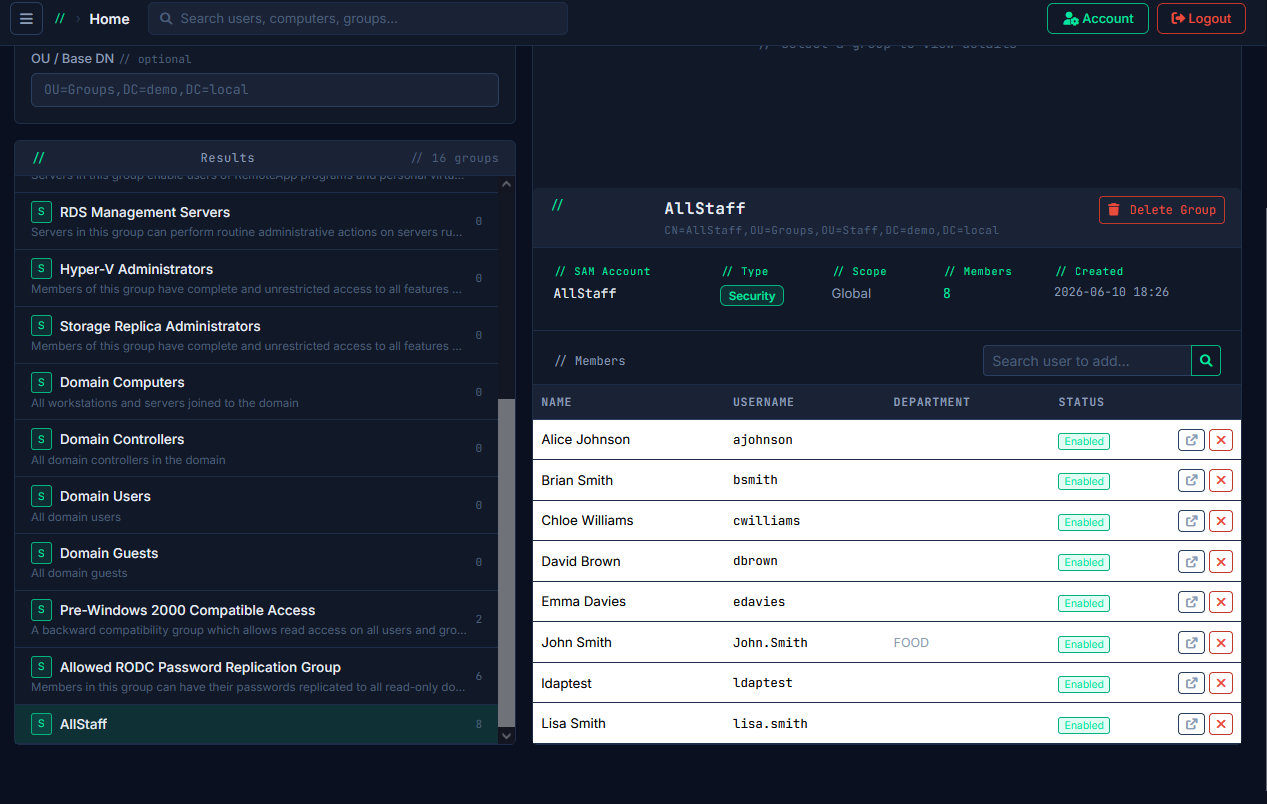
Group Management

Groups and membership without the nested navigation

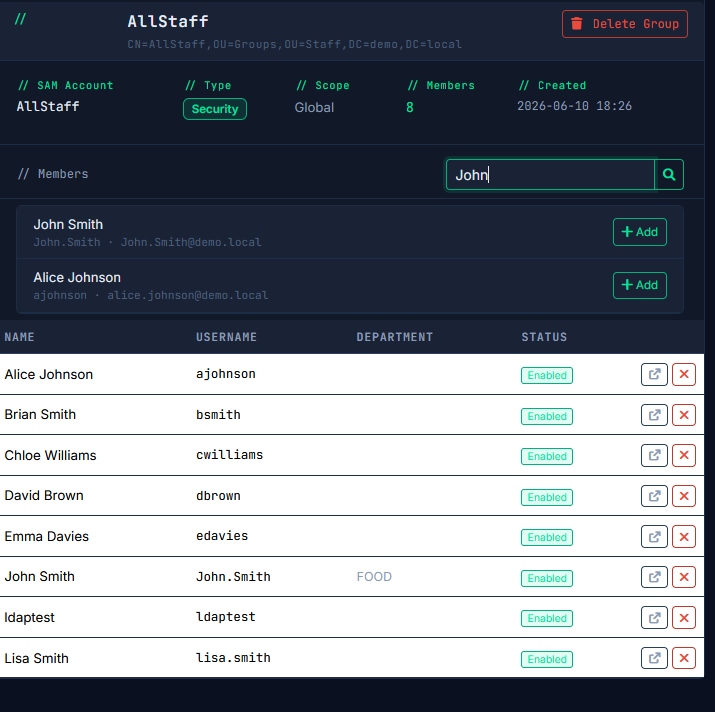
See who's in a group, who's nested inside it, and make membership changes on the spot. No separate console, no PowerShell, no guessing at DistinguishedNames.

  • View and manage security groups and distribution lists
  • Add and remove members with search-as-you-type
  • Expand nested group membership at a glance
  • Bulk add users to groups from a selection
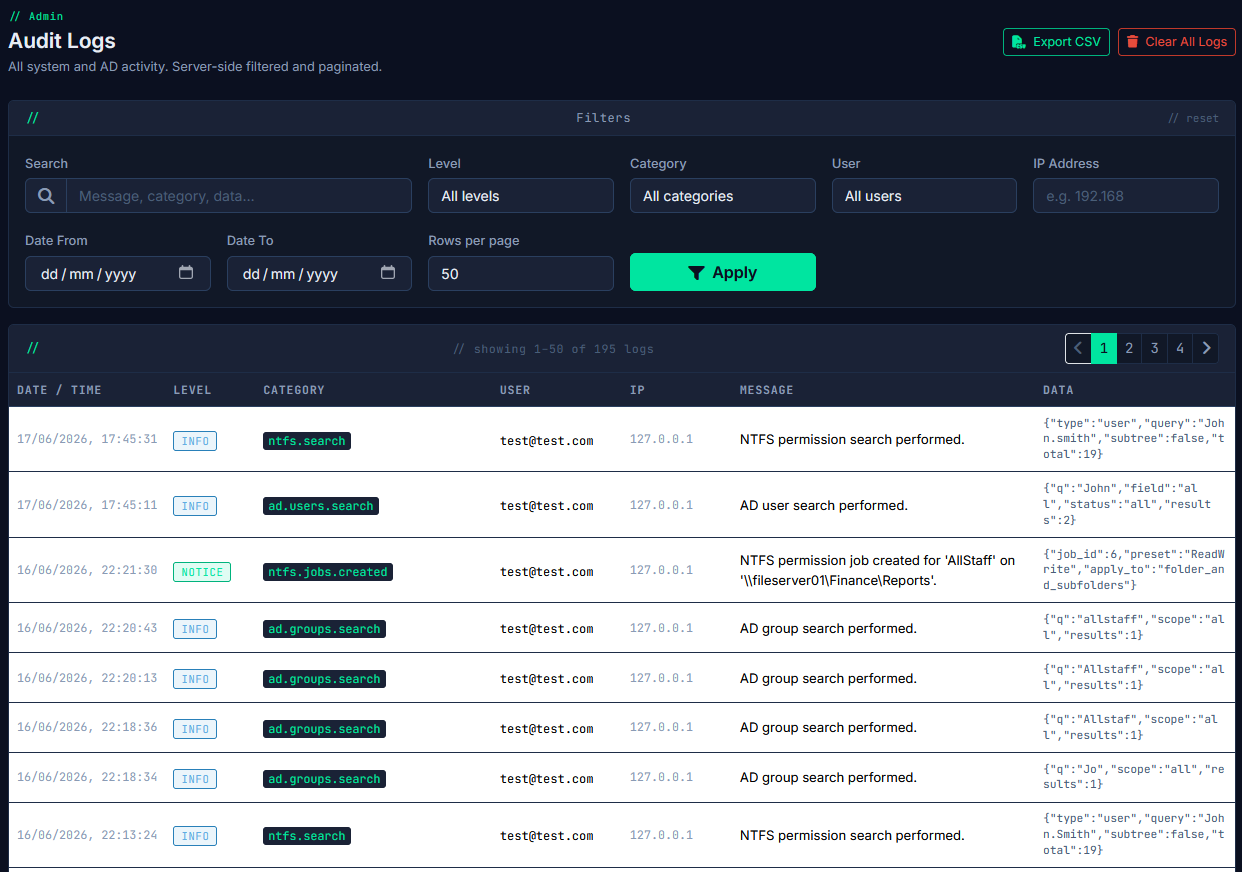
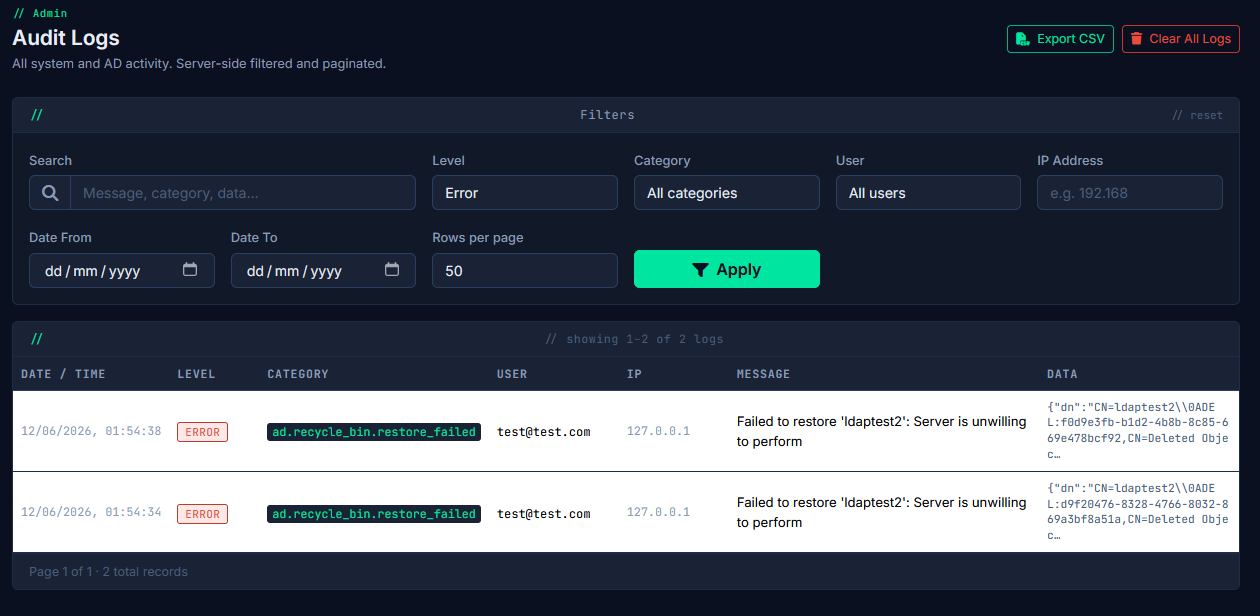
/ audit-log
Audit & Accountability

A record of every change, tied to a real person

Every action taken in WebAD is logged against the technician who took it, with a timestamp and the exact change made. Useful for internal review and useful when someone asks who reset that password on Friday.

  • Immutable audit log for all user, group, and computer actions
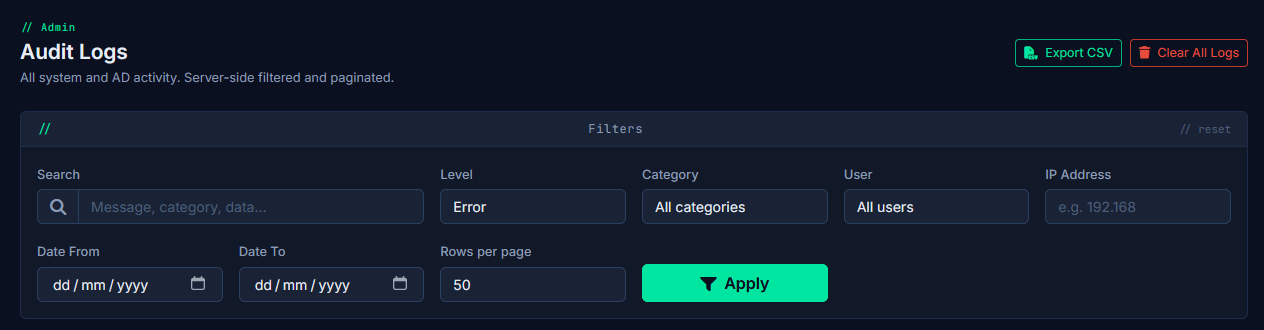
  • Filter by technician, date range, action type, or target object
  • Export to CSV for compliance reporting
  • Configurable log retention
🖥️
Computer Management
View computer objects, move between OUs, manage properties — without opening ADUC.
📜
GPO Reporting Coming Soon
Browse applied Group Policy Objects, see linkages, and review settings — read-only, built in.
🌐
DNS & DHCP Manager Coming Soon
View and manage DNS zones, records, and DHCP scopes from the same interface.
🔄
AD Recycle Bin
Restore accidentally deleted users, groups, and computers without touching PowerShell.
🏢
Multi-Domain Support
Connect multiple AD domains — domain switcher built into the UI. Designed for MSPs.
🔒
Role-Based Access
Granular permissions so technicians only see and do what they're supposed to.

Find out who actually has access — before someone else does

Scan file server shares, resolve nested group membership, and surface permission problems that have been quietly accumulating for years.

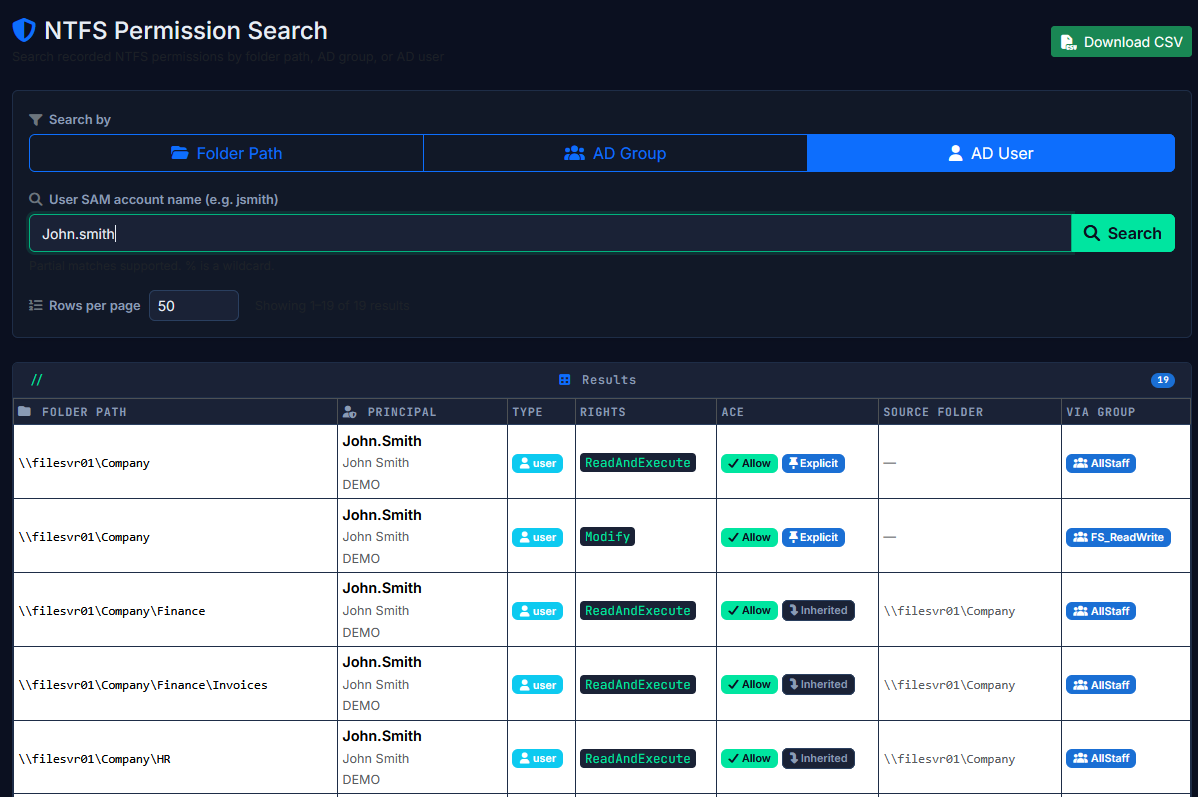
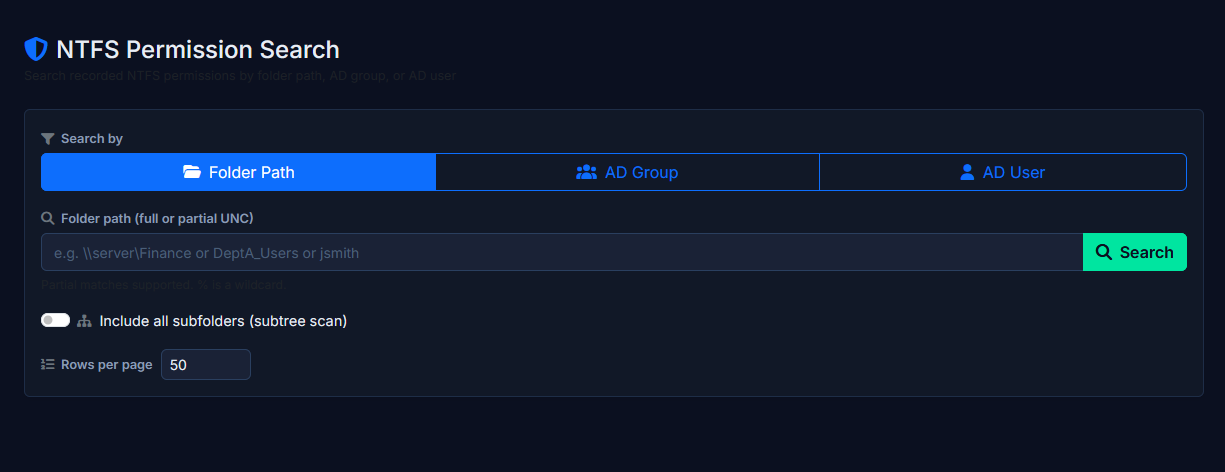
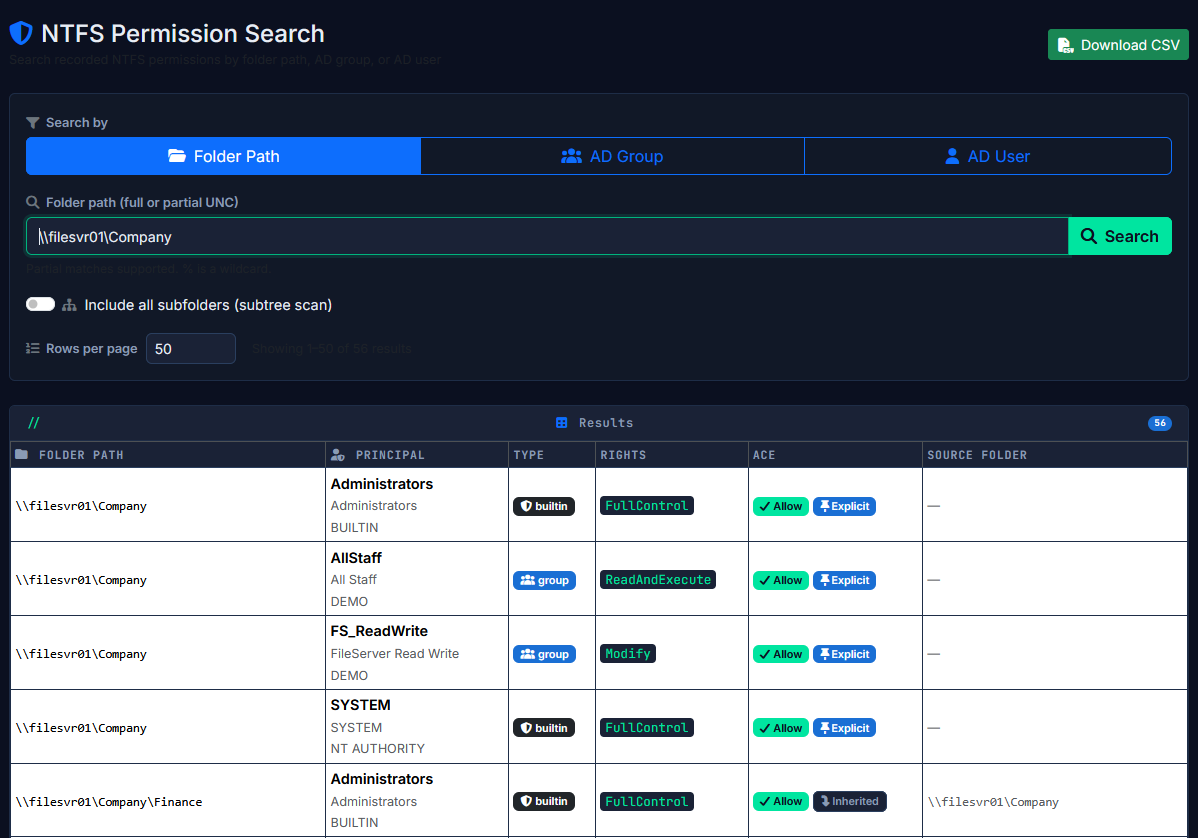
/ ntfs / search?user=jsmith
Effective Access Search

Search by user, see every folder they can reach

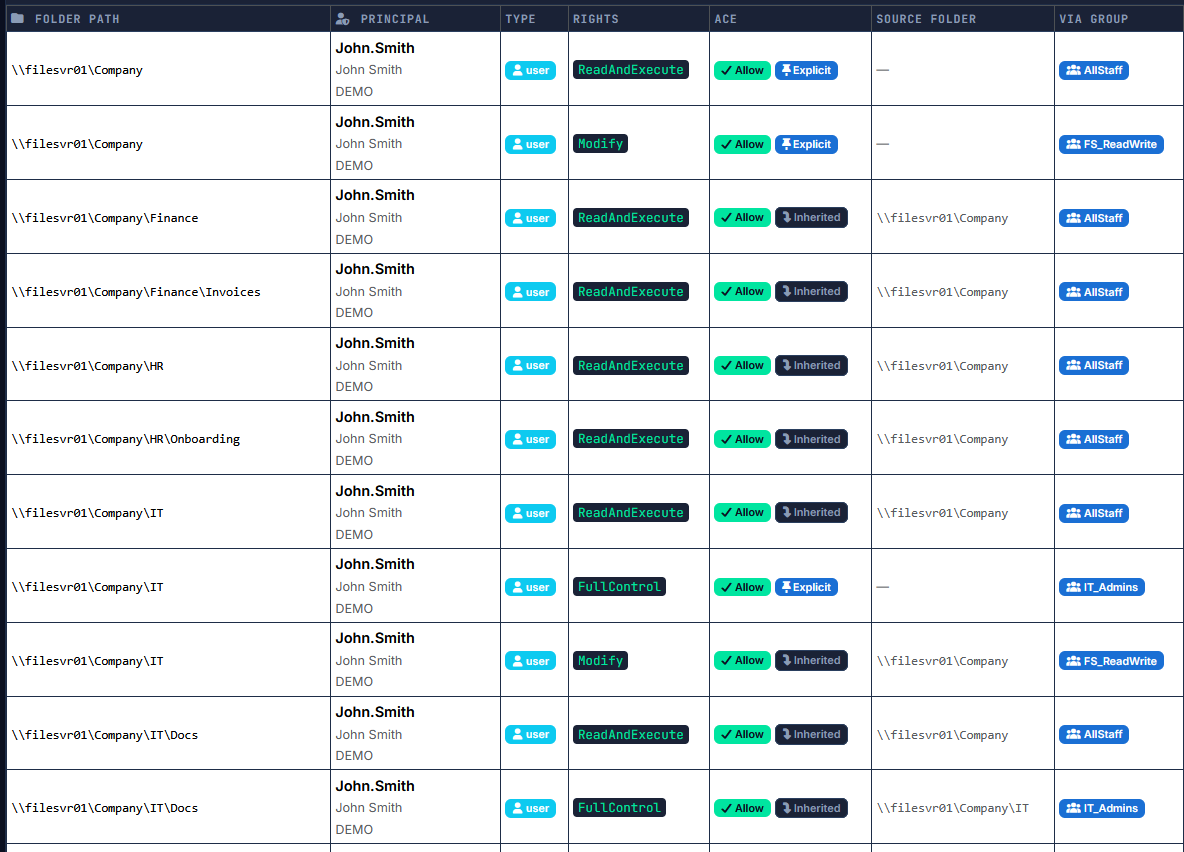
Type a username and get back every share and folder they have access to, how they got it (direct or via group), what permission level, and whether it's inherited or explicit.

  • Resolves nested AD group membership automatically
  • Shows inherited vs. explicit ACEs
  • Identifies access via disabled accounts still in ACLs
  • Search by user, group, or resource path
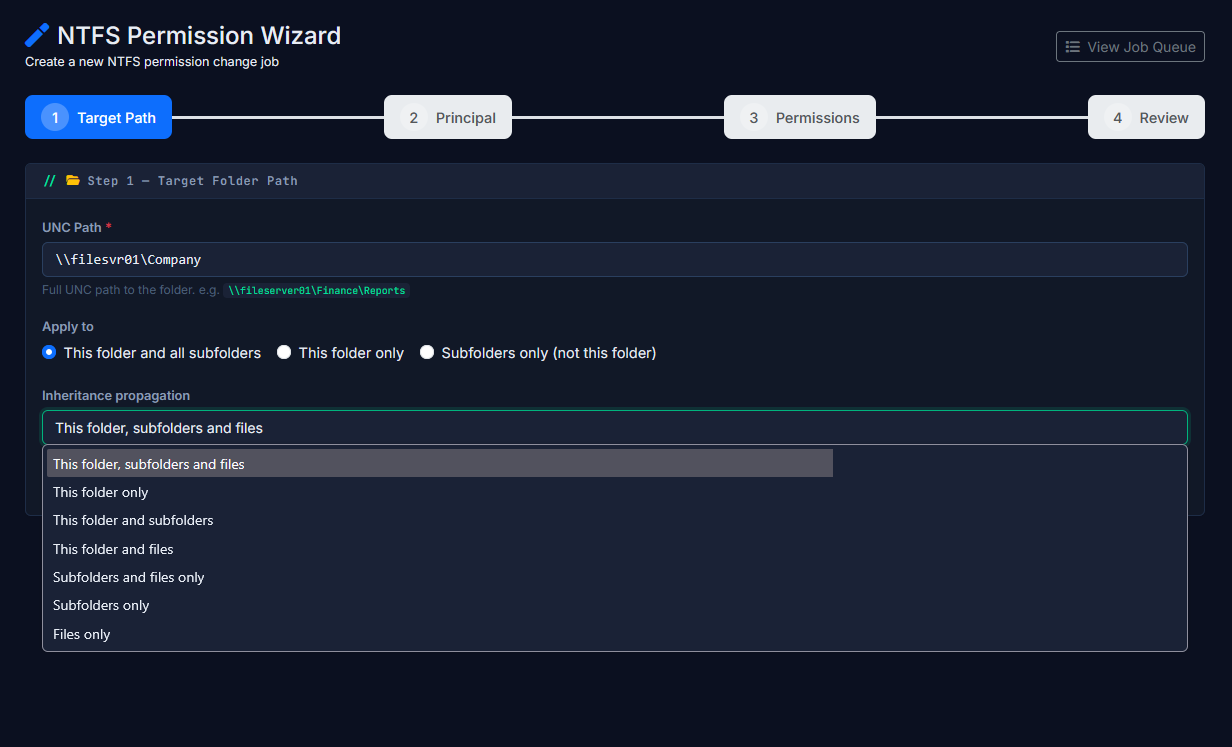
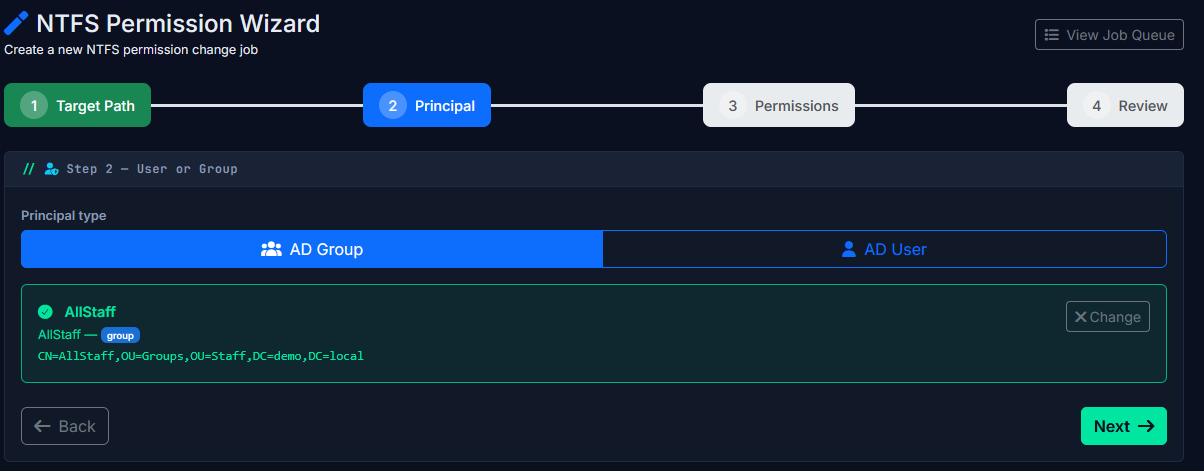
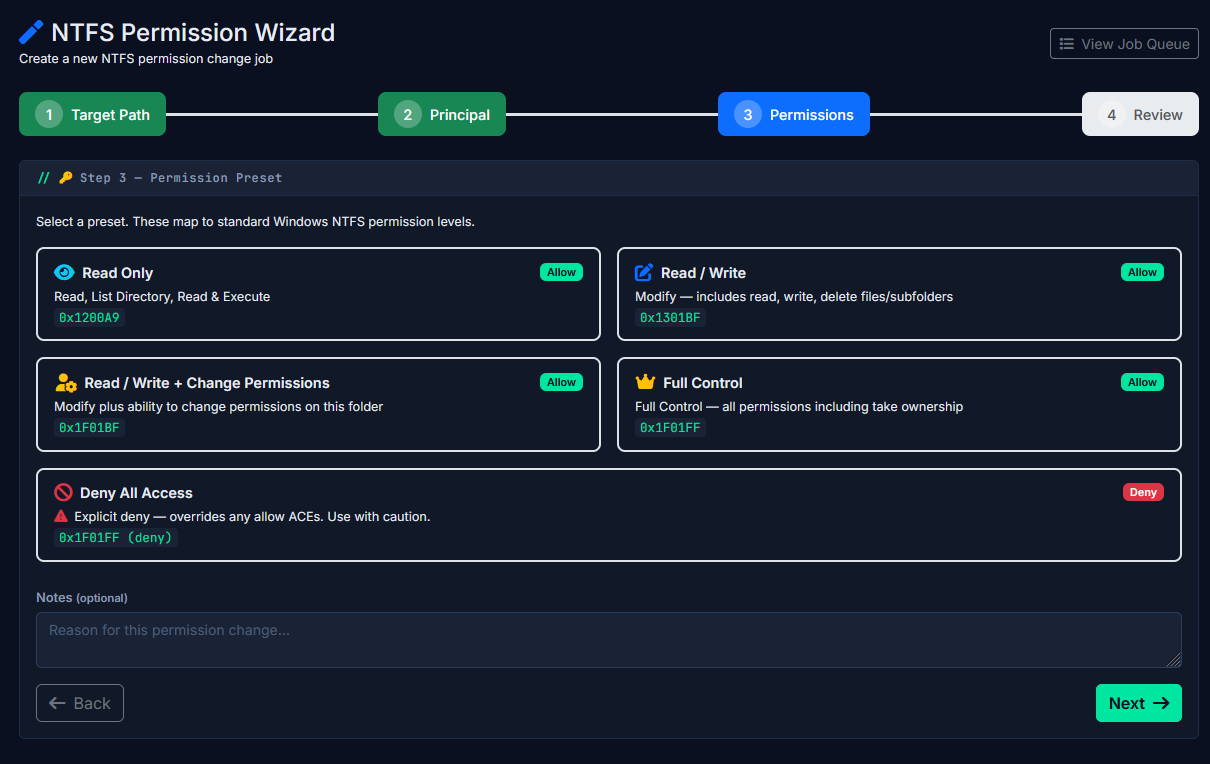
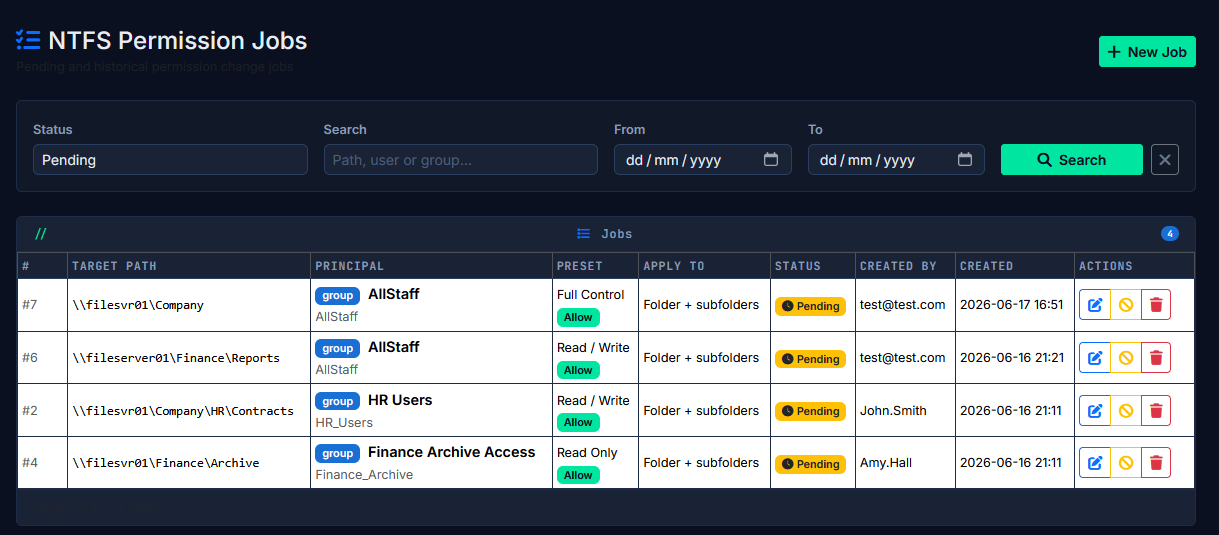
/ ntfs / permission-wizard
Permission Wizard

Apply permission changes through a guided workflow

Raise a permission change job, review it, and push it to the queue. The NTFS Job Runner applies it on the server. Full audit trail, no one touching ACLs by hand.

  • Four-step wizard: select resource, pick principal, set rights, confirm
  • Changes queued and applied by a background service — not live in the browser
  • Job status tracked: pending, running, complete, failed
  • Every change logged against the technician who raised it

The permission problems hiding in plain sight

🚫
Disabled accounts with live ACLs
Users who left months ago but still appear in folder ACLs. The account is disabled, but the ACE is still there.
⚠️
Broken inheritance
Folders where permissions were manually overridden and are no longer inheriting from the parent — a common source of permission drift.
🔴
Orphaned SIDs in ACLs
Permission entries referencing AD objects that no longer exist — shown as raw SIDs in the ACL editor, and invisible in most tools.
🛑
Explicit Deny ACEs
Deny entries that may be blocking access in unexpected ways, surfaced clearly alongside the rest of the effective permissions picture.
📊
Over-privileged group membership
Groups with broader access than their members actually need — visible when you cross-reference AD membership with folder ACEs.
🔎
Full recursive subtree scan
Scans every folder in a share hierarchy, not just the top level. Results stored in a database so you can query and filter without re-scanning.
NTFS Auditor — Scan Job Output
[2026-06-17 09:14:02] FolderScan.exe --server FS01 --share \\FS01\Data --depth unlimited
[09:14:03] ✓ Connected to FS01 via UNC
[09:14:03] Enumerating folders...
[09:14:07] 2,847 folders indexed — writing ACEs to database
[09:15:12] ✓ Scan complete — 2,847 folders, 18,394 ACE records written

[09:15:13] Running post-scan analysis...
[09:15:14] ✗ 3 folders with disabled-account ACEs → jdoe (left 2024), mwatson, p.harris
[09:15:14] ⚠ 12 folders with broken inheritance
[09:15:14] ✗ 1 orphaned SID → S-1-5-21-3747795... (object deleted)
[09:15:14] ✓ 2 explicit Deny ACEs flagged for review

[09:15:14] Report available in MyNetAdmin → NTFS Auditor → FS01 scan results
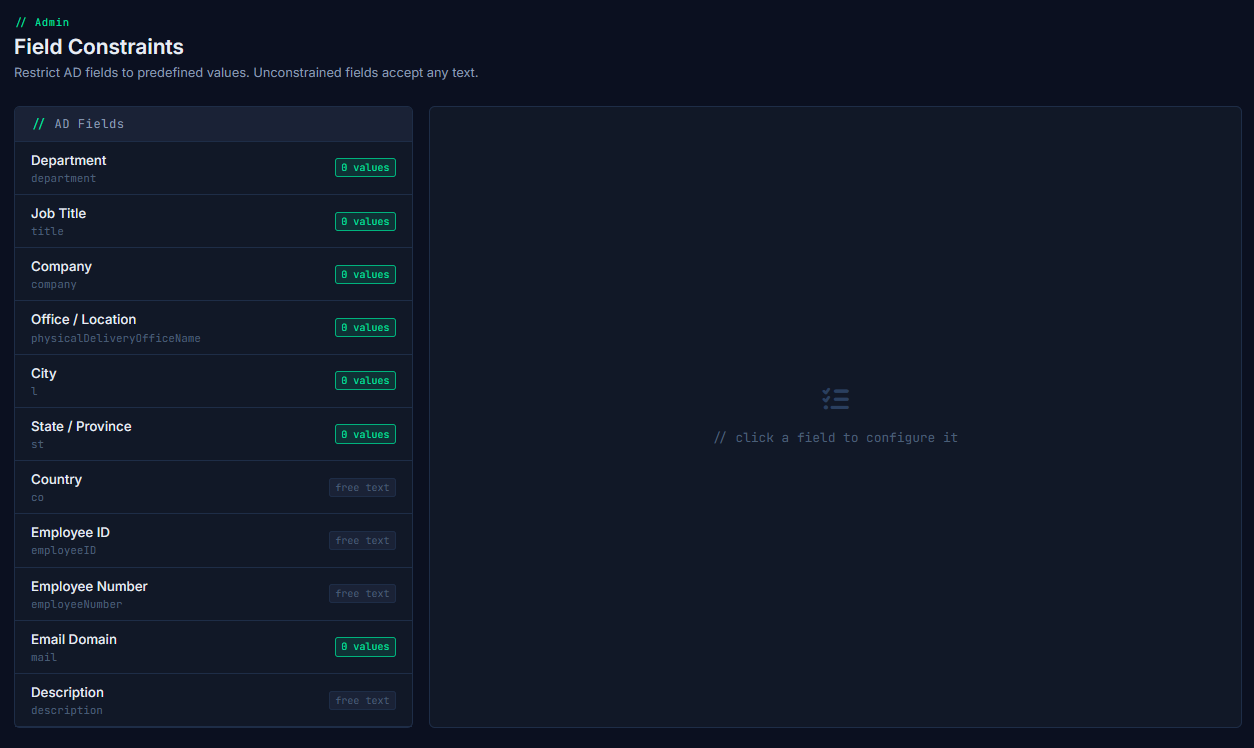
Admin Control Panel

Turn modules on or off for your environment

Every module in MyNetAdmin can be enabled or disabled from the admin config panel. If you don't need DNS/DHCP through the platform, turn it off. When new modules ship, they appear here automatically — one toggle, no reinstall.

  • Per-module toggle: AD Management, NTFS Auditor, GPO Reporting, DNS/DHCP
  • Module state persists across updates
  • Roadmap modules appear here as they're released
  • Single installation covers all licensed modules
/ admin / config

One price. All modules. No surprises.

No per-seat fees, no module tiers, no "contact us for enterprise pricing." One annual licence covers your whole team and every module — including the ones still on the roadmap.

BETA PRICING
£499.99
per year · per site · all modules included
WebAD — full AD management in a browser
NTFS Permission Auditor
AD Recycle Bin & full audit logging
Multi-domain support
Unlimited technician accounts
Unlimited domain controllers
On-premises deployment — your infrastructure, your data
GPO Reporting coming soon
DNS & DHCP Manager coming soon
All future modules — included when they ship
Request Beta Access

Beta access is a lower cost for one year in exchange for feedback. Pricing above applies on general release. MSP enquiries welcome — contact us to discuss multi-site arrangements.

Common questions

Where does it run?
MyNetAdmin installs on your own infrastructure — an IIS server on your Windows network. Nothing goes to the cloud. Your AD credentials and data stay inside your environment. Linux and Docker deployment is planned for a future release.
What does "unlimited technicians" actually mean?
There is no per-seat, per-user, or per-technician fee. One licence covers however many staff log in to use it. You're not being charged more because your team grows.
Can it connect to multiple AD domains?
Yes. WebAD is built with multi-domain support, including a domain switcher in the UI. This makes it viable for MSPs managing multiple client environments from a single installation.
How does the NTFS Auditor apply permission changes?
Permission changes are not applied live from the browser. A change job is raised through the wizard, queued in the database, and then applied by the NTFS Job Runner — a .NET 8 background service running on your network with appropriate access to the file servers. This keeps the web layer separated from direct filesystem changes.
When are GPO Reporting and DNS/DHCP Manager coming?
Both are on the active roadmap and will be delivered as platform updates — no reinstall or licence upgrade required. Beta participants will get early access as each module becomes available.
What's the current status?
MyNetAdmin is currently in beta. WebAD and the NTFS Auditor are the active modules. We're accepting a small number of beta testers — free for one year in exchange for structured feedback. Get in touch if you'd like to be considered.
We're an MSP — do you offer multi-site pricing?
Yes. Get in touch and we'll discuss what your setup looks like. Multi-site arrangements are handled individually at this stage rather than through a fixed tier model.

Ready to stop managing AD from a jump host?

Beta access is open now. Free for one year in exchange for feedback. No commitment, no credit card.